
I got rid of 100% of my filing and bookkeeping by feeding it into the Chinese Ministry of State Security's cloud
July 12, 2026
I got rid of 90% of my day-to-day job of filing and paying bills by using AI.
I created a FILING.md which I can share in its basic form without compromising my security. It is basically a program for an AI harness to systematically do my filing. Including physical mail!
The process looks like this. A physical letter reaches CAYA's postbox, a service that scans your mail and gives you a little Gmail-like inbox online. There is already a ton of AI stuff integrated into this gem, but I'm not interested in it. I only have one rule set in CAYA. New mail? Send it to my Google Drive folder 01 Inbox as a PDF.
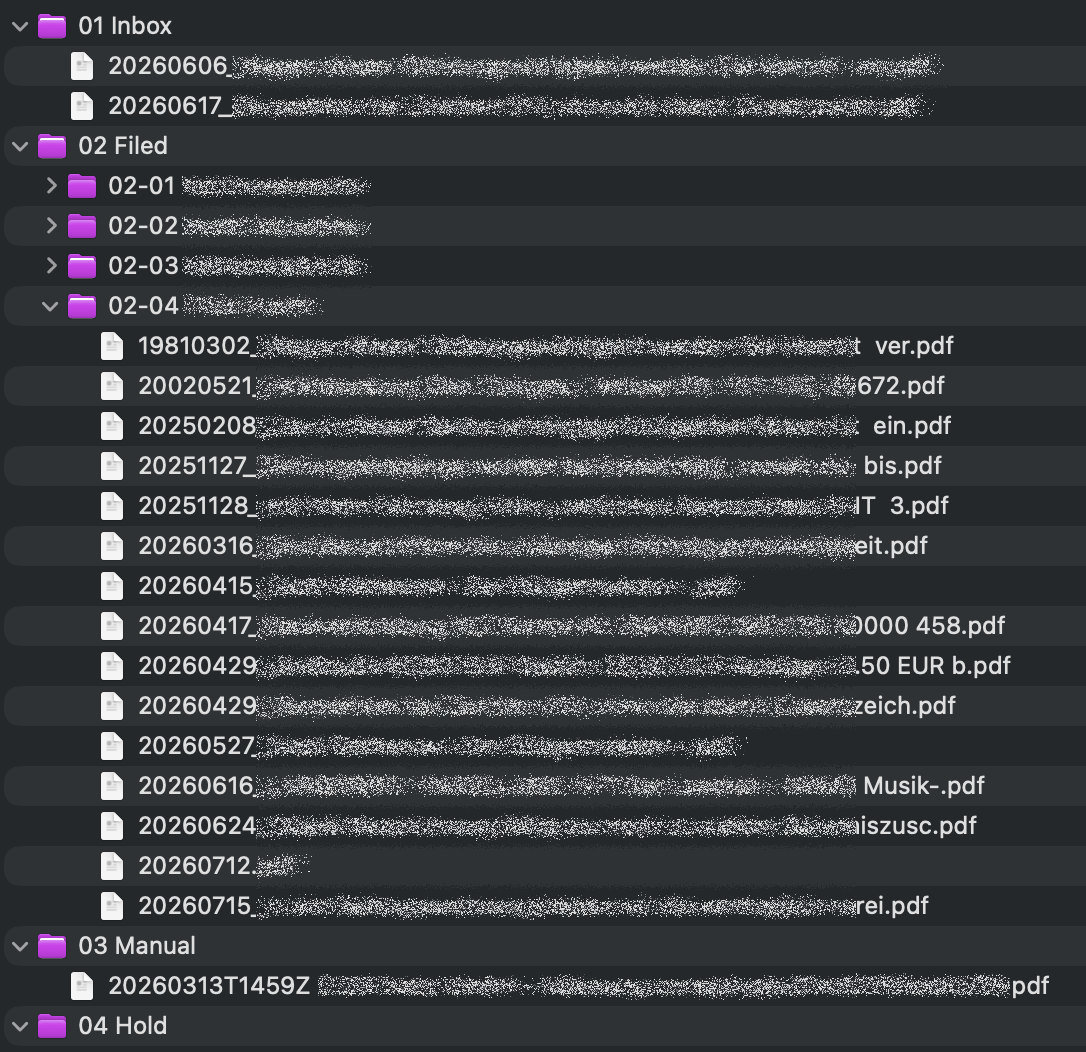
From there Claude Co-Work picks it up and analyses which company the mail is for. If it is just informal, it gets filed into the company's folder right away. If it is an invoice or a late payment notice (never gonna happen again, though!), it will trigger a payment if necessary. And yes, it makes that payment too!
I have linked four bank accounts: Qonto for my companies and Bunq for my private obligations. Qonto is a little more tricky as you have to create some OAuth tokens to make it work, while Bunq is just swallowing an API key and is good to go.
I even created a CLI tool for Bunq, because there was none that was maintained. It is called bunqctl and you can get it for free here. For Qonto, I found qontoctl, which works like a charm too.
You might think now that I'm crazy. So anyone can send me or my companies an invoice and it would get paid automatically? In parts, yes. Of course, a lot more is happening inside the FILING.md program. The harness will check previous payments in order to not overpay, and it will do some sanity checks too. But in the end, it is still me who has to approve the payments in the Qonto or Bunq app. So I would consider this pretty safe, unless I try to approve any payments while I'm intoxicated.
If the job is done, the file gets moved to the corresponding folder of the company, into the 02 Filed folder. If there is any hiccup or the task might not fit, it gets moved to 04 Hold.
But sometimes I still get mail to my normal mailbox. Especially if it is private mail, or it is sent via one of the local mail carriers who have never heard of mail forwarding services. Hellooo?!
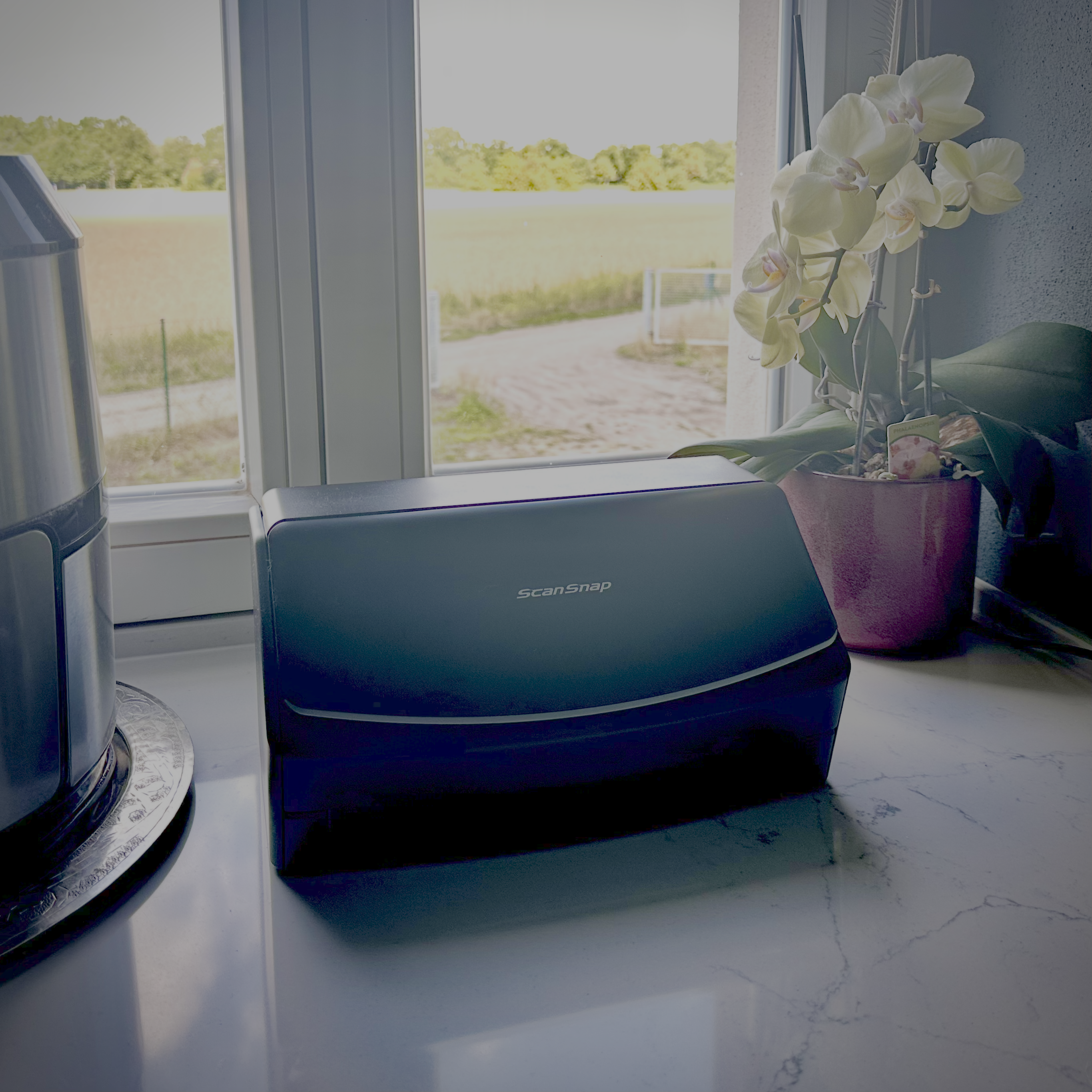
In this case, I still have to open the mail myself, like a peasant, and scan it with this ScanSnap scanner which now sits in my kitchen. I open it up, put the letter in, and hit scan. It automatically sends it directly to my Google Drive 01 Inbox. Well, not directly. It makes a quick reroute over a Chinese cloud server which is definitely a honeypot of the Chinese Ministry of State Security. But oh well, it is the best scanner with one button out there.
In total, having such a tool is nothing short of a godsend for me (and I'm an atheist!). Because if you know me, the struggle to get these things done was huge! Wait But Why has an amazing blog article about the Dark Playground explaining my struggle.
Instead of doing filing, which is super necessary to avoid getting thrown in jail at some point, I wanted to build something which interested me more. My discipline isn't very high, and neither is my attention sp... oh look, a squirrel!
Now, this fabulous scanner sits in my kitchen and no mail ever reaches my office anymore. I'm blessed.

 632 Views
[English below]
Als ich von dir erfuhr dass es Dienstleister gibt, damit ich meine Post nicht mehr selber einscannen muss, wollte ich das einrichten. Aber meine Frau schlug vor dass ich sie bezahle wenn mir das Einscannen zu lästig ist. So machen wir das jetzt.
Wir haben einen Highend-Brother der beidseitig nach Dropbox scannt und die PDFs enthalten sogar den Text (OCR). Dann muss ich die Datei benennen und in den passenden virtuellen Ordner ablegen und ggf. aktiv werden.
Während die dänische Post die Briefzustellung eingestellt hat, und zuvor viele Euro Porto und 1 Woche Laufzeit geboten hat, ärgert mich die Ineffizienz in Deutschland. Sogar Unternehmen bei denen ich ein digitales Postfach habe schicken mir Briefe ausschließlich auf Papier. Zuletzt Comdirect, PSD Bank West und die AOK BW sowieso ständig.
Ich benutze viel Lastschrift. Da ist unschön dass man keine Übersicht hat wer berechtigt ist Geld abzubuchen, bzw. diese selber pflegen muss. Das müsste nicht sein, wie PayPal zeigt, die genau diese Übersicht bieten.
Ich kenne überraschend viele die sich darüber beschweren dass sie ihre Post digital erhalten und selbst ausdrucken müssen.
------------ [ENGLISH] ------------
When I learned from you that there are service providers who can handle mail scanning so I don't have to do it myself, I wanted to set that up. However, my wife suggested that I pay *her* if scanning was too much of a hassle for me. That’s how we do it now.
We have a high-end Brother scanner that scans double-sided directly to Dropbox, and the PDFs even include the text (OCR). Then I just have to name the file, save it to the appropriate virtual folder, and take action if necessary.
While the Danish postal service has stopped delivering physical letters—after previously charging high postage rates and taking a week for delivery—the inefficiency in Germany really annoys me. Even companies where I have a digital mailbox still send me letters exclusively on paper. Recent examples include Comdirect, PSD Bank West, and—constantly—AOK BW.
I use direct debit a lot. The downside is that there’s no overview of who is authorized to withdraw funds, meaning you have to manage that list yourself. It doesn't have to be that way; PayPal, for instance, provides exactly that kind of overview.
I know a surprising number of people who complain about receiving their mail digitally and having to print it out themselves.
Correction on the headline. Just learned that ScanSnap is part of a Japanese company.